
GRAND CALCULATE · STOCK BARS & OFFCUTS
Free Linear Cutting & Cut List Calculator
Plan cutting lists for steel, aluminium, timber and other linear materials.
Enter your available stock lengths, required cut sizes, quantities and saw kerf to generate a practical cutting plan.
GrandVerify helps fabricators, workshops and installers organise material requirements and identify potential offcuts before cutting begins.
IN THE WORKSHOP
How to turn a cut list into stock lengths
- Name the material and stock profile. Enter the usable length of each bar, tube or board after any end trimming, and the saw kerf for the blade you will use.
- Use Add cut line for each different finished length from that stock. Enter the quantity and, if useful, a label such as “top rail”. Use Add material for a different stock profile.
- Select Calculate cut plan. Read each material’s bar patterns separately. If a pattern repeats, cut the listed pieces from each bar assigned to that pattern.
Worked example: six rails from 6,000 mm stock
You need six 1,500 mm rails from one stock profile, using a saw with a 3 mm kerf. Four finished rails would take the whole 6,000 mm before allowing for a single cut. The calculator instead gives two bars, with the same three-rail pattern on each.
On each bar, 4,500 mm becomes finished rails and three saw cuts consume 9 mm. That leaves a 1,491 mm offcut per bar. Across the job, the finished rails total 9 m; the saw removes 18 mm and leaves two separate offcuts.
Linear cutting and stock planning FAQs
What is saw kerf, and why does it affect my cut list?
Kerf is the width of stock the blade removes as it cuts. It takes up length between finished pieces and when separating a piece from an offcut. Use the kerf for your actual blade and cut; entering zero can make more pieces appear to fit than you can cut.
When should different materials have separate cutting lists?
Group only pieces that can come from the same stock. For example, a 40 × 40 steel box section and a 40 × 40 aluminium section need separate lists even when the cut lengths match. Use another material group for a different timber profile, stock length or blade kerf.
Does the cutting list optimiser guarantee the least waste?
No. It considers longer pieces first and places each into the tightest available bar it fits. This gives a suggested cut list rather than a guarantee of the fewest bars. Check usable stock lengths and decide which offcuts are worth keeping in your workshop.
How do I enter stock sold in feet?
Choose inches and convert the stock length first: enter 96 for an 8 ft length of lumber or aluminum angle. Enter the kerf in inches as well; for example, a one-eighth-inch blade cut can be entered as 1/8.
Planning railing stock? Use the baluster spacing calculator for spindle quantities and the post spacing calculator for centre marks before preparing the cutting list.
Calculations run in this browser. Enter decimals without thousands separators. Display precision changes the labels, not the layout.
All Grand Calculate tools →See Linear cut in the app
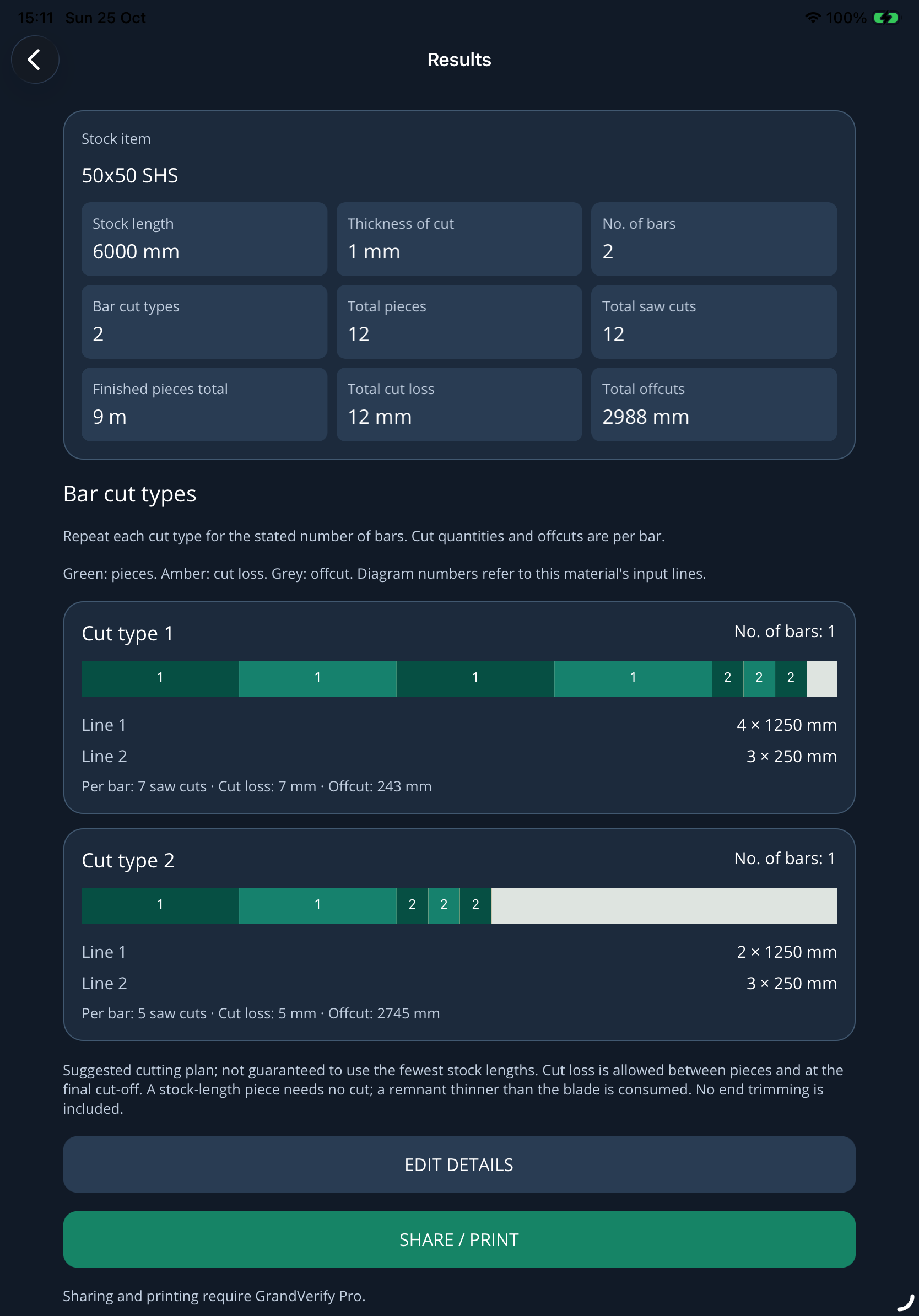
Take Grand Calculate into the workshop.
Use GrandVerify's calculation tools alongside site measurement, drawing and verification features.
Download GrandVerify free for iPhone, iPad and Android.


Free to download. Optional Pro subscription for exports, sharing and printing.